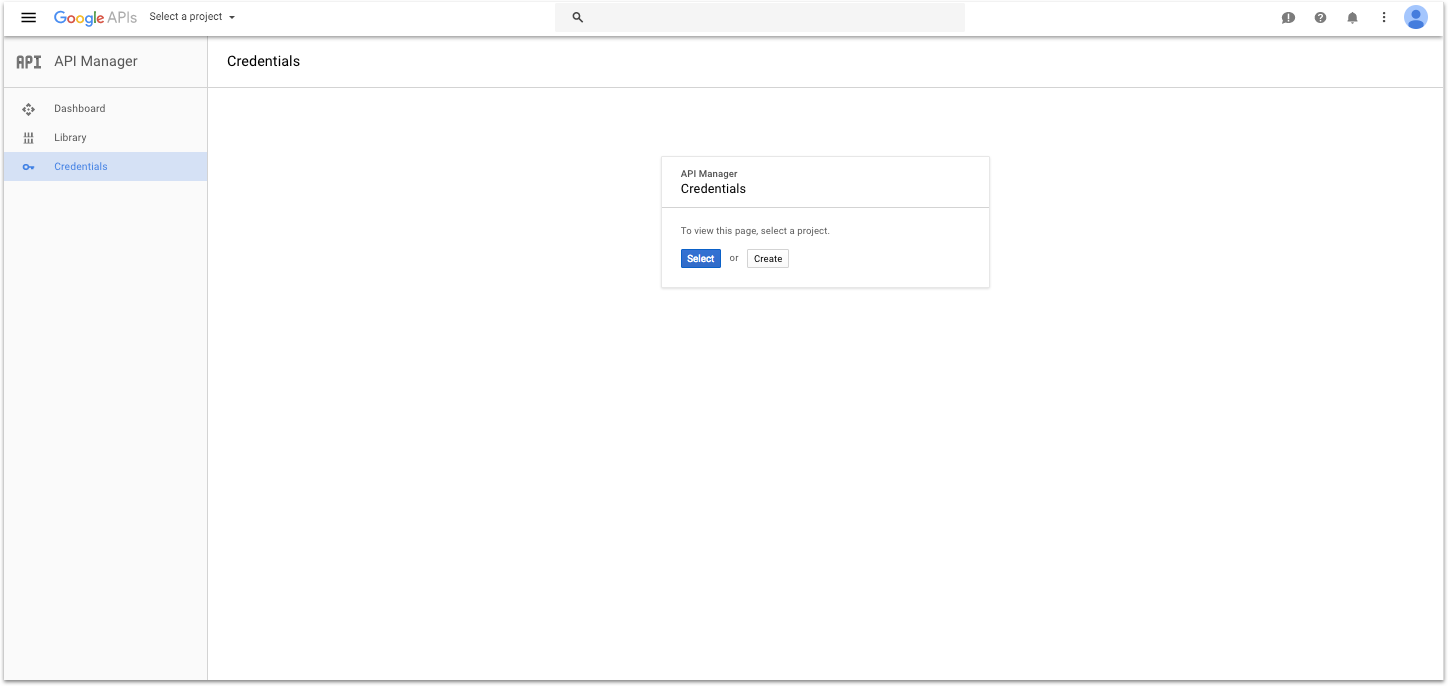
Likely you will need to create a new project in Google Cloud, so click Create.
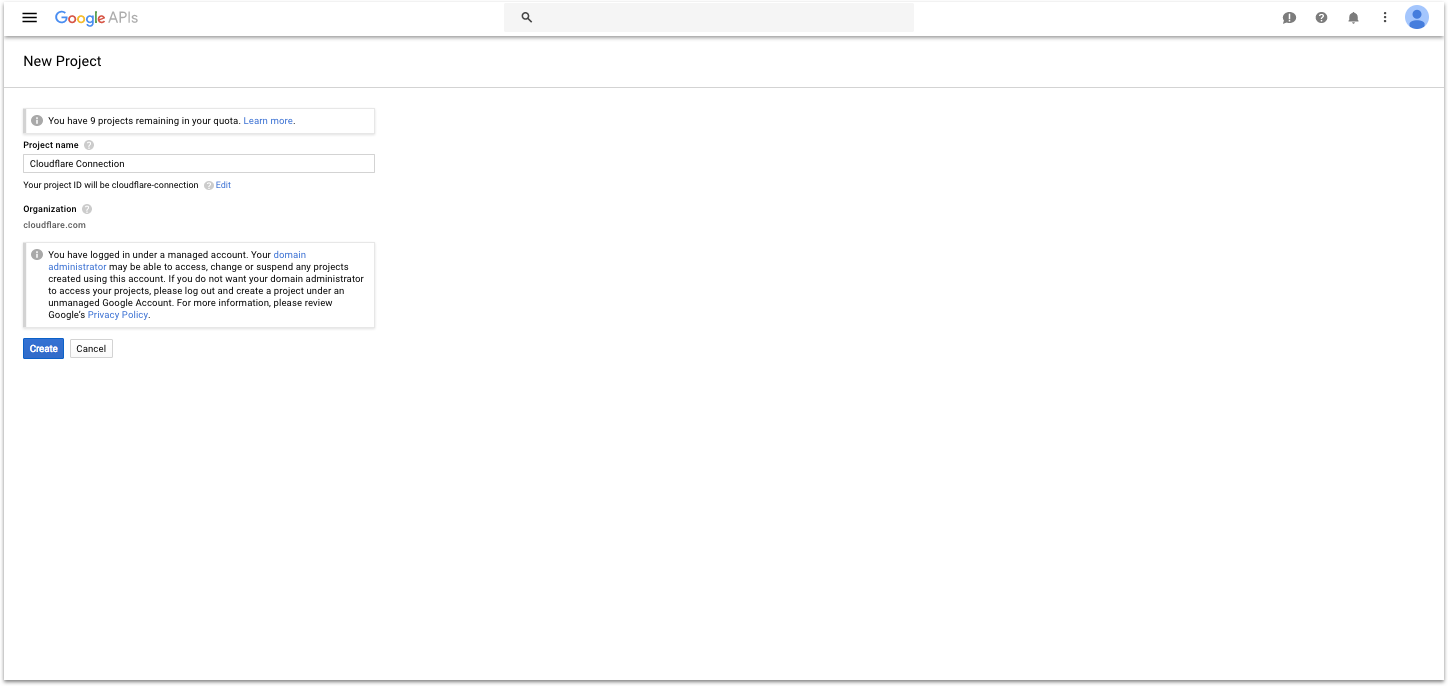
Give your project a name, like "Fanar" and click create.
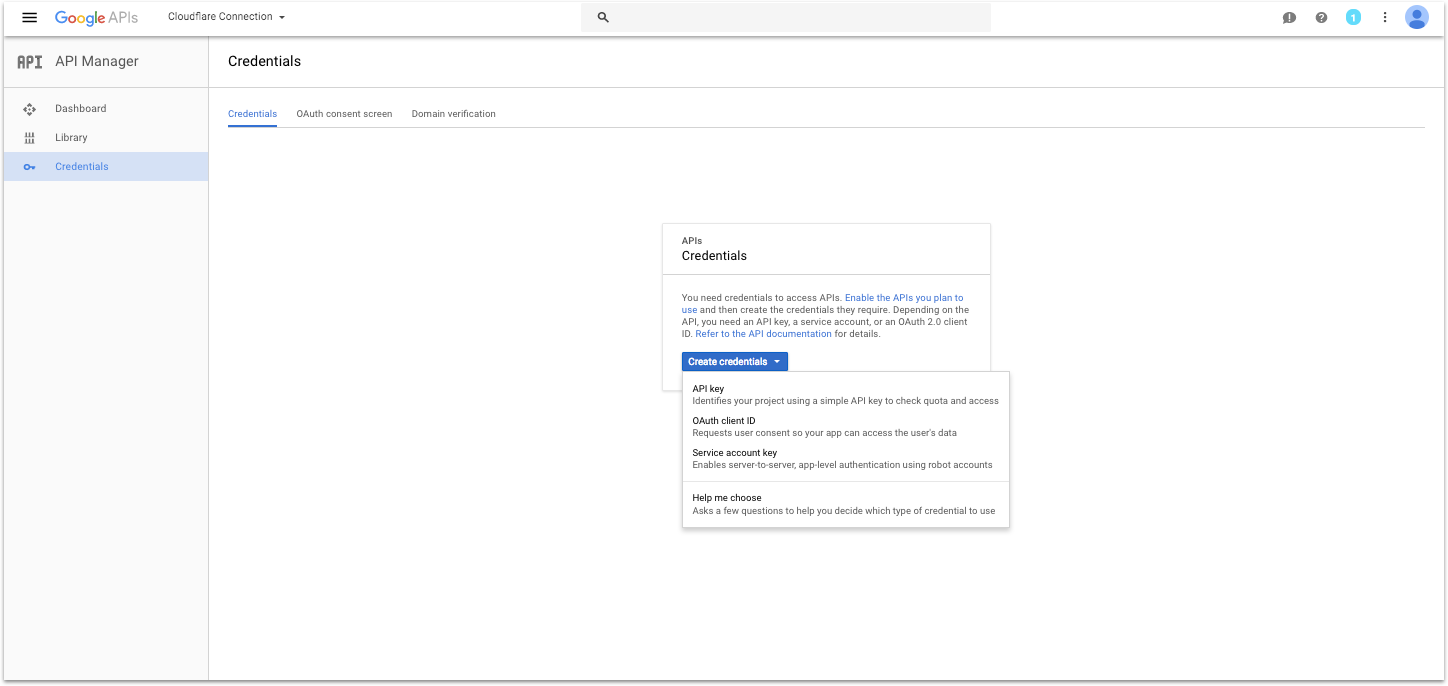
Click Create Credentials and select OAuth Client ID.
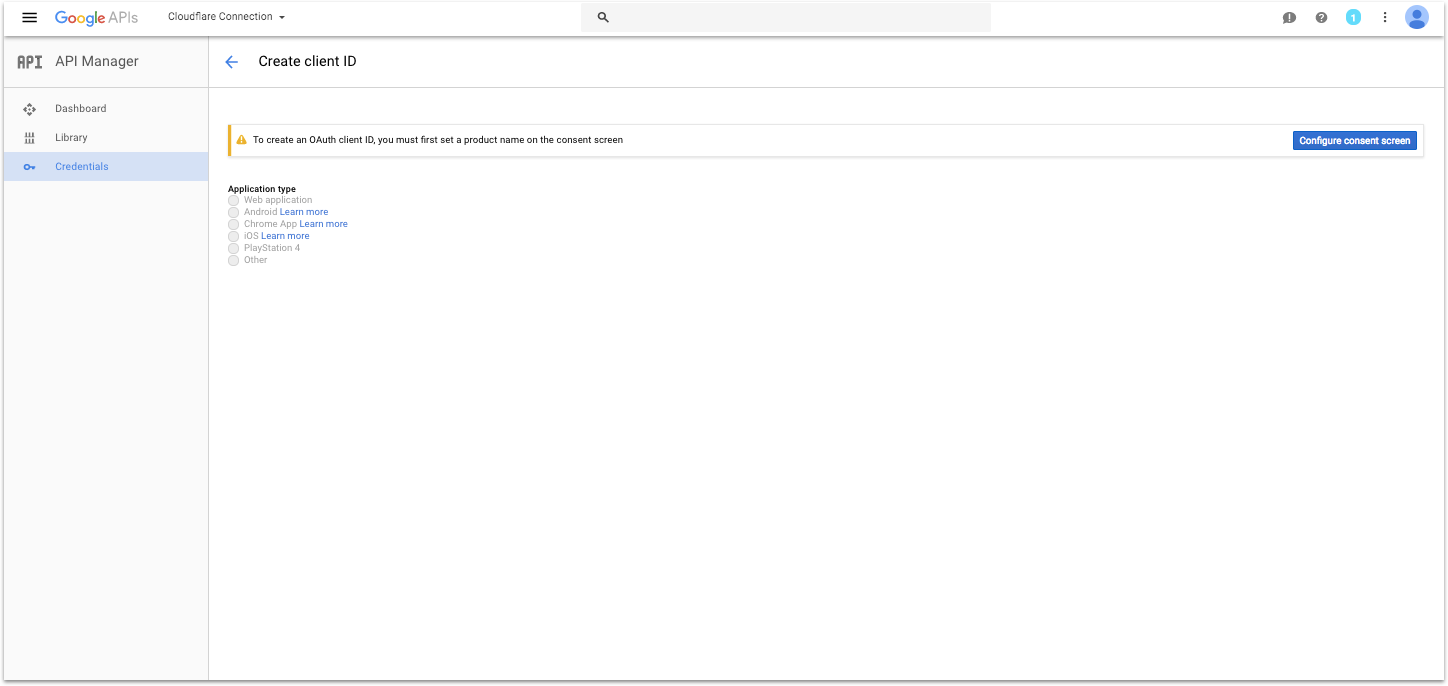
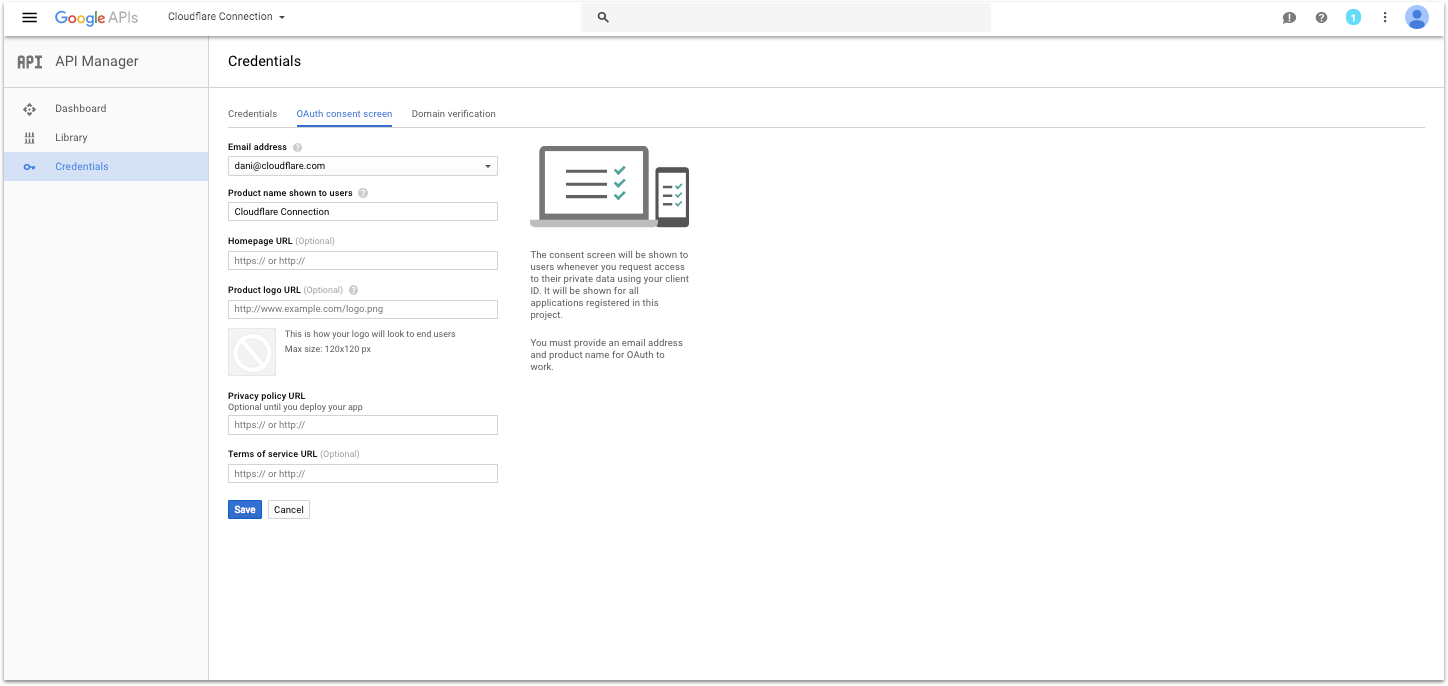
If you see it, click on the button that says Configure Consent Screen.
Fill out the Product Name field and click Save. (This will be displayed to users during the sign in flow).
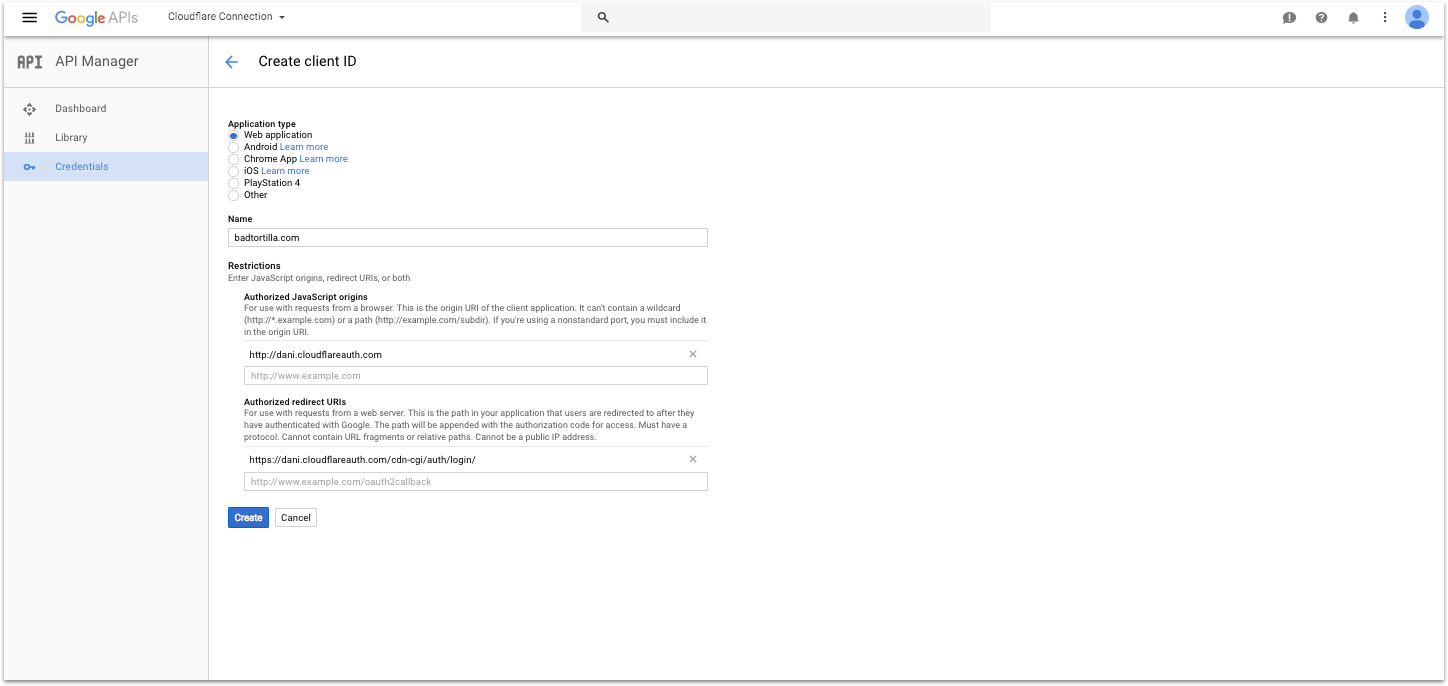
Select the Application Type Web Application. Give your application a name and in Authorized Javascript Origins, put the address of your Fanar instance (something like: https://fanar.acme.com).
In the Authorized redirect URIs section, put the address of your Fanar instance suffixed by /oauth/google_callback (i.e. https://fanar.acme.com/oauth/google_callback). Click create.
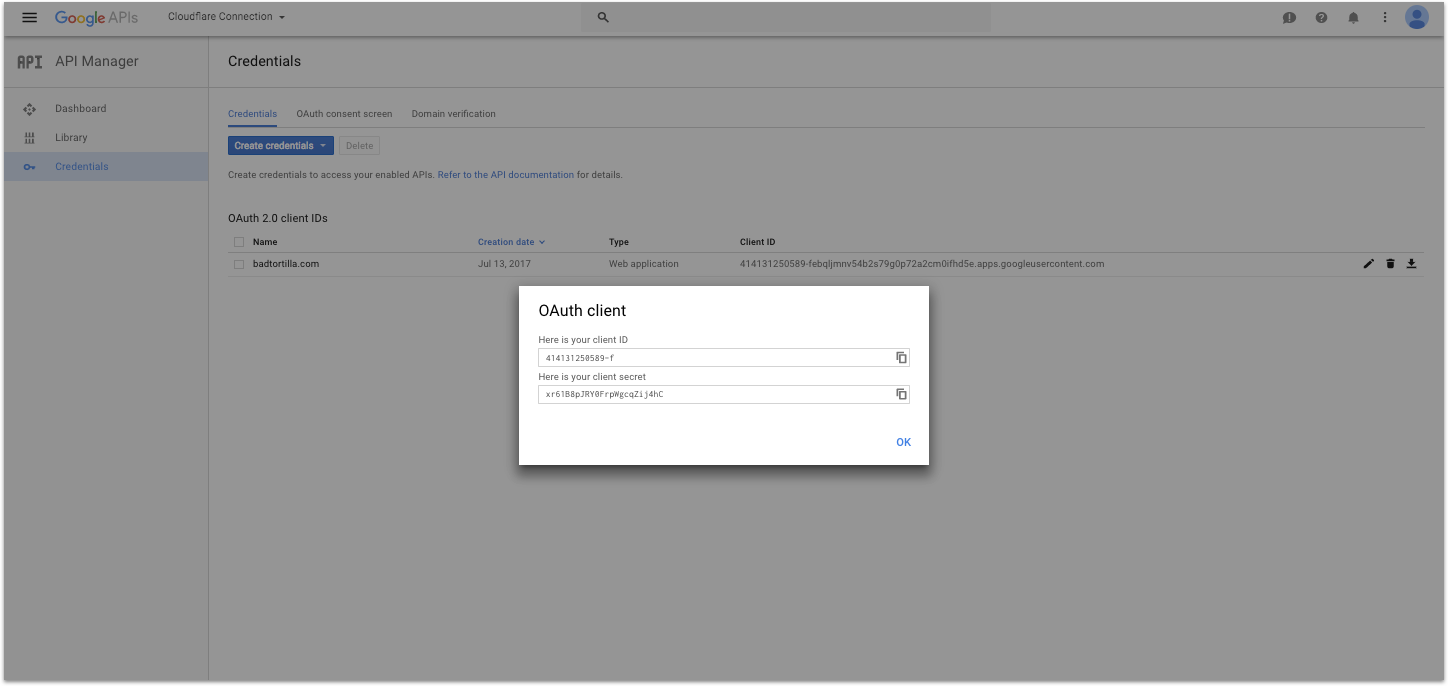
Copy your client ID and secret and paste them in the fields on the left to finish connecting Google.