Axibase Time Series Database
User Setup:
Create User Group with READ-ONLY Permissions
- Login into PTSD web interface at https://atsd_host:8443.
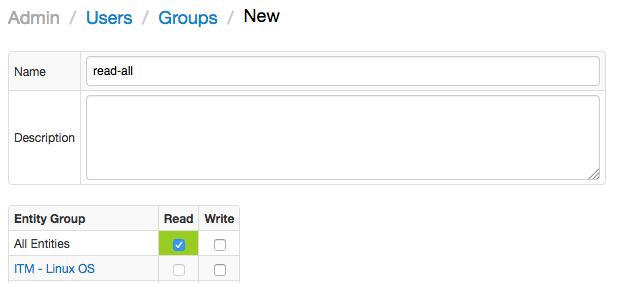
- Open Admin > User groups page, click Create.
- Specify user group name and the optional description.
- Grant the group 'Read' permission from 'All entities'.
- Press the Save button.
Create User
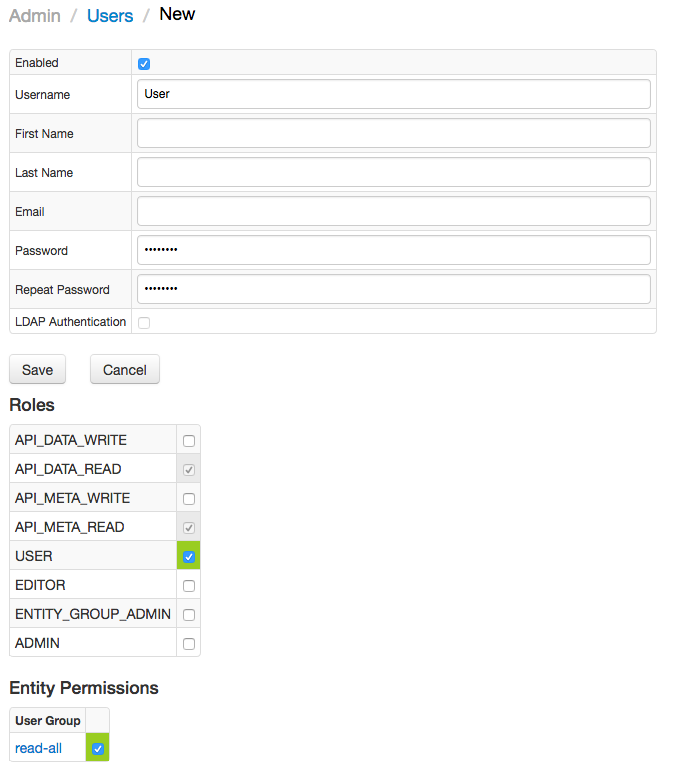
- Open Admin > Users page, click Create.
- Specify username, password, and other fields if necessary.
- Add the user to the previously created User Group as a member in the 'Entity Permissions' section.
- Press the Save button.
Create Data Source
- Login into Fanar web interface.
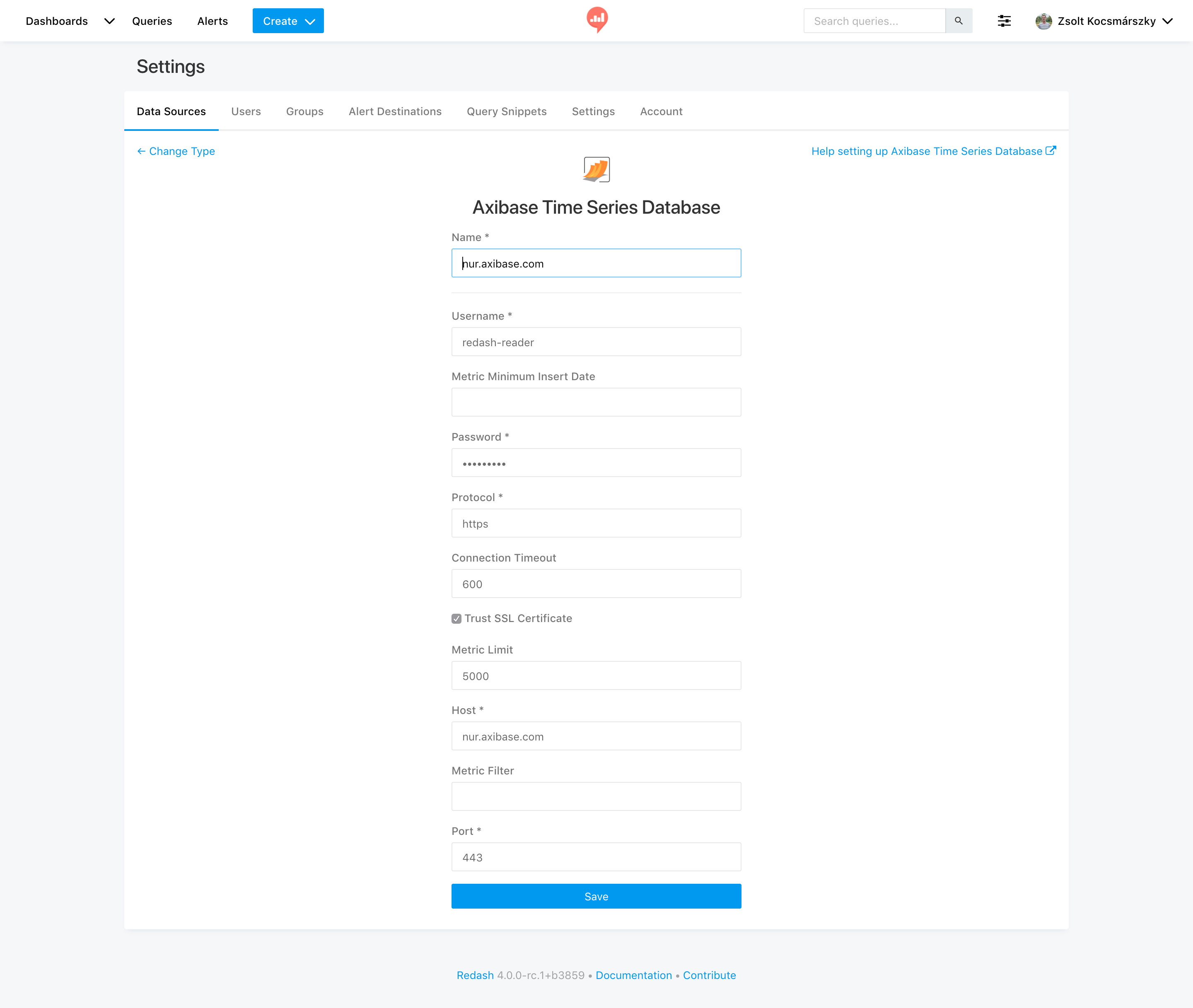
- Open the New Data Source page, select 'Axibase Time Series Database' as type.
- Complete the following fields on the configuration form:
+----------------------------+---------------+----------+----------------------------------------------------------------------------------------------------------------------------------------------------------------------------------------------------------------------------------+ | Name | Default Value | Required | Description | +----------------------------+---------------+----------+----------------------------------------------------------------------------------------------------------------------------------------------------------------------------------------------------------------------------------+ | Username | --- | Yes | User name. | | Password | --- | Yes | User password. | | Metric Limit | 5000 | No | Maximum number of ATSD metrics displayed as tables in Fanar. | | Metric Filter | --- | No | Include metrics that match an expression filter. | | Metric Minimum Insert Date | --- | No | Include metrics with last insert date equal to or greater than the specified date. ISO date format and endtime syntax is supported. | | Protocol | http | Yes | Connection protocol. | | Trust SSL Certificate | False | No | Trust SSL certificate, if the certificate is self-signed. | | Host | localhost | No | ATSD hostname or IP address. | | Port | 8088 | No | ATSD http (8088) or https (8443) port. | | Connection Timeout | 600 | No | Connection timeout in seconds. | +----------------------------+---------------+----------+----------------------------------------------------------------------------------------------------------------------------------------------------------------------------------------------------------------------------------+
- Save the data source.
- Test the connection by clicking the 'Test' button.
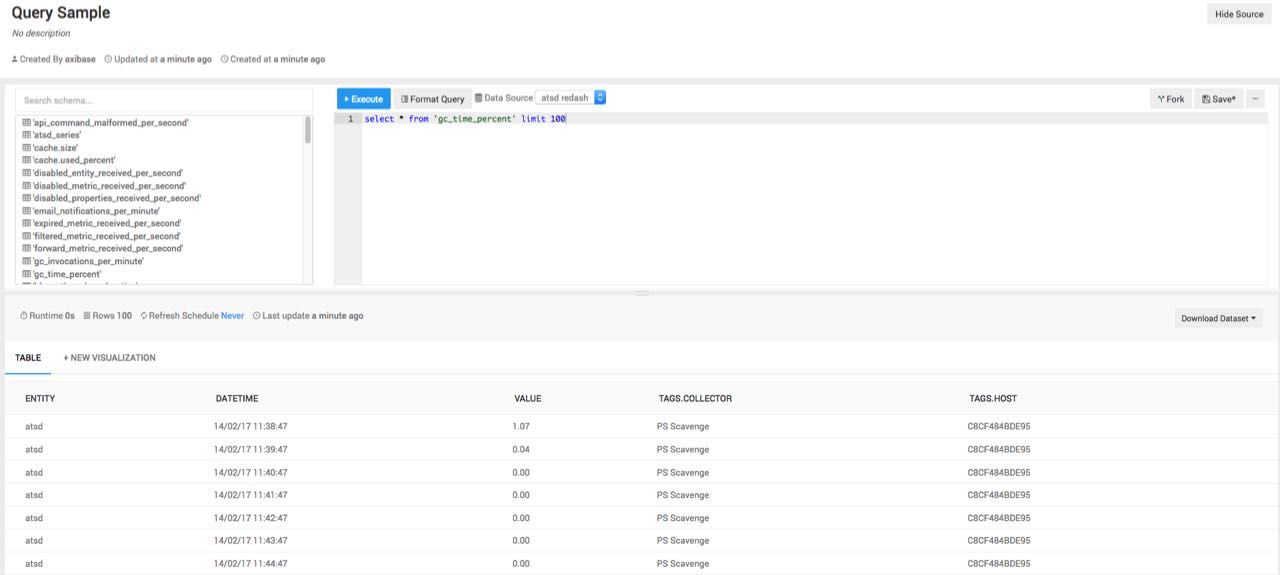
Run a Query
Once the Test is successful, you can query the data stored in Axibase Time Series Database.